

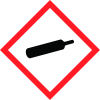
Note: Ingredients listed on restricted chemical lists
EC/CAS
811-97-2
Name of the chemical
1,1,1,2-Tetrafluoroethane
Concentration
N/A
EC/CAS
212-377-0
Name of the chemical
Norflurane; Ethane, 1,1,1,2-tetrafluoro
Concentration
N/A
General Information
Revision date
2016-02-01
Product name
HFC-134a , Kryon 134a
Substance name
Remarks
Chemical name
Norflurane
CAS No.
811-97-2
1.2.1 Relevant identified uses
#NL
Emergency telephone
0039-335-5644288
Icons in SDS
Company Information
company name
General Gas S.r.l
e-mail address of the competent person responsible for the Safety Data Sheet
m.migliaccio@gas-tec.it
GHS Information
Signal word
Warning
Hazard Codes
Hazard statements (CLP)
H280
Hazard statements
Code
Statements
H280
Contains gas under pressure; may explode if heated
Section 2
2.1 Classification of the substance or mixture
REGULATION (EC) No 1272/2008 Gases under pressure Liquefied gas H280 Contains gas under pressure; may explode if heated.
2.2 Label elements
REGULATION (EC) No 1272/2008 Cod.
Signal word
Warning
Hazard statements
H280 Contains gas under pressure; may explode if heated. Precautionary : P280 Wear protective gloves/ eye protection/ face protection. P284 In case of Inadequate ventilation wear respiratory protection. P410 + P403 Protect form sun light. Store in a well- ventilated place.
2.3 Other hazards
Warning! Container Under Pressure.



