



Note: Ingredients listed on restricted chemical lists
EC/CAS
7681-49-4
Name of the chemical
Sodium fluoride
Concentration
10-25
General Information
Revision date
2017-05-01
Product name
Alum-a-Flux
Manufacturer Name
Forney Industries, Inc
Emergency telephone
1-800-535-5053, 352-323-3500
Icons in SDS


Company Information
company name
Forney Industries, Inc
e-mail address of the competent person responsible for the Safety Data Sheet
customerservice@forneyind.com
GHS Information
Signal word
Danger
Hazard Codes
Hazard statements (CLP)
H302, H314, H335, H411
Hazard statements
Code
Statements
H302
Harmful if swallowed
Section 2
SECTION 2: Hazards identification
(29 CFR 1910.1200) Emergency Overview: This product is normally not considered hazardous as shipped. Avoid eye contact or inhalation of dust from the product. When this product is used in a welding process, the most important hazards are welding fumes and heat. Classification of the Substance/Mixture
Signal word
Danger
Hazardous Ingredients
Lithium Chloride Zinc Chloride Sodium Fluoride
Hazard statements
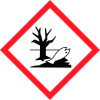
H302 – Harmful if swallowed. H314 – Causes severe skin burns and eye damage. H335 – May cause respiratory irritation. H411 – Toxic to aquatic life with long lasting effects. 37250
Precautionary statements
P261 – Avoid breathing dust/fume/gas/mist/vapours/spray. P264 – Wash skin and hair thoroughly after handling. P270 – Do not eat, drink or smoke when using this product. P271 – Use only outdoors or in a well-ventilated area. P273 – Avoid release to the environment. P280 – Wear protective gloves/protective clothing/eye protection/face protection. P301+P330+P331 – IF SWALLOWED: Call a POISON CENTER or doctor/physician if you feel unwell. P303+P361+P353 – IF ON SKIN (or hair): Remove/Take off immediately all contaminated clothing. Rinse skin with water/shower. P304+P340 – IF INHALED: Remove victim to fresh air and keep at rest in a position comfortable for breathing. P305+P351+P338 – IF IN EYES: Rinse cautiously with water for several minutes. Remove contact lenses, if present and easy to do. Continue rinsing. P310 – Immediately call a POISON CENTER or doctor/physician. P330 – Rinse mouth. P363 – Wash contaminated clothing before reuse. P391 – Collect spillage. P403+P233 – Store in a well-ventilated place. Keep container tightly closed. P405 – Store locked up. P501 – Dispose of contents/container in accordance with local/regional/national/international regulations. ___________________________________________________________________________________
2.1 Classification of the substance or mixture
CLP/GHS Classification (1272/2008): Acute Toxicity – Oral, Category 4 Skin Corrosion, Category 1B Specific Target Organ Toxicity (Single Exposure), Category 3 Hazardous to the Environment – Long-Term, Category 2 EU Classification (67/548/EEC): Harmful (Xn), Irritant (Xi), Dangerous for the Environment (N), R22, R36/37/38, R51/53 Hazardous Classification per 29CFR 1910.1200 (Rev. July 1, 2012): Acute Toxicity – Oral, Category 4 Skin Corrosion, Category 1B Specific Target Organ Toxicity (Single Exposure), Category 3 Hazardous to the Environment – Long-Term, Category 2



