

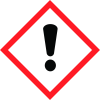
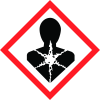
General Information
Revision date
2019-04-07
Product name
OPTODYNE UV-1100
CAS No.
108-32-7
1.2.2. Uses advised against
No further relevant information available
Emergency telephone
Japan: +81-6-6349-7521
Icons in SDS


Company Information
company name
DAIKIN INDUSTRIES, LTD CHEMICALS DIVISION
GHS Information
Signal word
Warning
Hazard Codes
Hazard statements (CLP)
H302, H312, H317, H332, H351, H412
Hazard statements
Code
Statements
H302
Harmful if swallowed
Section 2
CLP CLASSIFICATION
Carc. 2 H351 Suspected of causing cancer. Acute Tox. 4 H302 Harmful if swallowed. Acute Tox. 4 H312 Harmful in contact with skin. Acute Tox. 4 H332 Harmful if inhaled. Skin Sens. 1 H317 May cause an allergic skin reaction. Aquatic Chronic 3 H412 Harmful to aquatic life with long lasting effects.
2.2 Label elements
Labelling according to Regulation (EC) No 1272/2008: The product is classified and labelled according to the CLP regulation.
Precautionary statements
P261 Avoid breathing dust/fume/gas/mist/vapours/spray. P280 Wear protective gloves/protective clothing/eye protection/face protection. P301+P312 IF SWALLOWED: Call a POISON CENTER/doctor if you feel unwell. P304+P340 IF INHALED: Remove person to fresh air and keep comfortable for breathing. P405 Store locked up. P501 Dispose of contents/container in accordance with local/regional/national/international regulations. *


