

General Information
Revision date
2022-09-01
Product name
CropSure Solace 200 SC Insecticide
CAS No.
500008-45-7
1.2.1 Relevant identified uses
Agricultural insecticide for use as described on the product label
Emergency telephone
+61 1800 951 288, +64 800 700 112
Icons in SDS


Company Information
company name
CropSure Pty Ltd
GHS Information
Signal word
WARNING
Section 2
SECTION 2: Hazards identification
SUSMP Classification
None allocated
ADG classification
Class 9 Miscellaneous Dangerous Goods
UN Number
3082, ENVIRONMENTALLY HAZARDOUS SUBSTANCE, LIQUID, N.O.S
Signal word
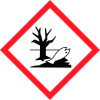
WARNING Hazardous to aquatic environment Short term/Chronic Category 1
Hazard statements
H410: Very toxic to aquatic life with long lasting effects.
Prevention
P262: Do not get in eyes, on skin, or on clothing. P273: Avoid release to the environment.
Response
P301+P330+P331 IF SWALLOWED Rinse mouth. Do NOT induce vomiting P370+P378 In case of fire Use carbon dioxide, dry chemical, foam, water fog, to extinguish
Storage
P410: Protect from sunlight. P402+P404: Store in a dry place. Store in a closed container. P403+P235: Store in a well-ventilated place. Keep cool.
Disposal
P501: Dispose of contents and containers as specified on the registered label. Emergency Overview Physical Description & Colour: White liquid. Odour: Alcohol-like odour.



