

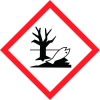
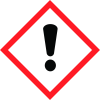
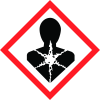
Note: Ingredients listed on restricted chemical lists
EC/CAS
1333-86-4
Name of the chemical
carbon black
Concentration
1-3 0-1 0-1 0-0.2
EC/CAS
13463-67-7
Name of the chemical
Reaction mass of titanium dioxide and silver chloride
Concentration
0-1
EC/CAS
96-29-7
Name of the chemical
2-Butanonoxim (2020/1182)
Concentration
0-1
EC/CAS
556-67-2
Name of the chemical
D4
Concentration
0-1
General Information
Version
1.2
Revision date
2019-02-13
Product name
Chip Quik Silicone Adhesive Sealant: EGS, NCS
Product Synonyms
Silicone
1.2.1 Relevant identified uses
RTV rubber, for electrical, electronic, and general industry gluing, sealing, insulating, encapsulating. This product is for
1.2.2. Uses advised against
industrial use only
Manufacturer Name
Chip Quik Inc
Emergency telephone
(800) 424-9300, +44 20 3868 7152, +61 2 8607 7057
Icons in SDS


Company Information
company name
Chip Quik Inc
GHS Information
Signal word
Danger
Section 2
SECTION 2: Hazards identification
Signal word
Danger GHS/CLP LABEL ELEMENTS: Hazard statement(s) H302 Harmful if swallowed. H315 Causes skin irritation. H317 May cause an allergic skin reaction. H319 Causes serious eye irritation. H332 Harmful if inhaled. H334 May cause allergy or asthma symptoms or breathing difficulties if inhaled. H335 May cause respiratory irritation. H351 Suspected of causing cancer. H361 Suspected of damaging fertility or the unborn child.
Precautionary statements
P102 Keep out of reach of children. P201 Obtain special instructions before use. P202 Do not handle until all safety precautions have been read and understood. P233 Keep container tightly closed. P260 Do not breathe dust/fume/gas/mist/vapor/spray. P262 Do not get in eyes, on skin, or on clothing. P264 Wash hands thoroughly after handling. P270 Do not eat, drink, or smoke when using this product. P271 Use in a well-ventilated area. P272 Contaminated work clothing should not be allowed out of the workplace. P273 Avoid release to the environment. P280 Wear protective gloves/protective clothing/eye protection/face protection. P284 In case of inadequate ventilation wear respiratory protection. P301/P330/P331/P310 IF SWALLOWED: Rinse mouth. DO NOT induce vomiting. Immediately call a POISON CENTER/Doctor. P303/P361/P352/P333/P313 IF ON SKIN (or hair): Take off immediately all contaminated clothing. Wash with soap & water. Get medical advice/attention if skin irritation or rash occurs or if you feel unwell. P304/P340/312 IF INHALED: Remove victim to fresh air and keep comfortable for breathing. Call a POISON CENTER or doctor/physician if you feel unwell. P305/P351/338/P310 IF IN EYES: Rinse cautiously with water for several minutes. Remove contact lenses, if present and easy to do. Continue rinsing. Immediately call POISON CENTER/Doctor. P308/P313 IF EXPOSED OR CONCERNED: Get medical advice/attention. P342/P311 IF EXPERIENCING RESPIRATORY SYMPTOMS: Call POISON CENTER/Doctor. P362 Take off contaminated clothing and wash it before reuse. P391 Collect spillage. P402/P404 Store in a dry place. Store in a closed container. P405 Store locked up. P501 Dispose of contents/container in accordance with local/regional/national/international regulations.
2.3 Other hazards
None known. SECTION 2 NOTES: Chip Quik Inc. does not recommend, manufacture, market, or endorse any of its products for human consumption. Chronic Toxicity-Proposition 65, State of California: WARNING! This product can expose you to Carbon Black and Titanium Oxide, which are known to the State of California to cause Cancer, Birth Defects, or other Reproductive Harm. For more information, go to www.P65Warnings.ca.gov. These materials are embedded in the product and are not available as respirable dusts. When used as intended or as supplied, the product will not pose hazards.


