

Note: Ingredients listed on restricted chemical lists
EC/CAS
7631-86-9
Name of the chemical
Silver adsorbed on silicon dioxide
Concentration
5-10
EC/CAS
64742-46-7
Name of the chemical
Distillates (petroleum), hydrotreated middle
Concentration
5-10
EC/CAS
13463-67-7
Name of the chemical
Reaction mass of titanium dioxide and silver chloride
Concentration
0-5
General Information
Version
2.1
Revision date
2023-06-23
Product name
Rapidstick RS-60 All-In-One Silicone Sealant
Chemical name
Not Applicable
1.2.1 Relevant identified uses
Use according to manufacturer"s directions
Icons in SDS


Company Information
company name
Chemtools Pty Ltd
e-mail address of the competent person responsible for the Safety Data Sheet
sales@chemtools.com.au
GHS Information
Signal word
Danger
Hazard Codes
Hazard statements (CLP)
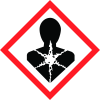
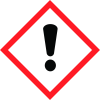
H304, H319, H350
Hazard statements
Code
Statements
H304
May be fatal if swallowed and enters airways
Section 2
SECTION 2: Hazards identification
GHS Classification Classification of the substance or mixture
2.2 Label elements
Page 1 continued...
Signal word
Danger Danger
Hazard statements
H304 May be fatal if swallowed and enters airways. H319 Causes serious eye irritation. H350 May cause cancer. H304 May be fatal if swallowed and enters airways. Continued... H319 Causes serious eye irritation. H350 May cause cancer.
Prevention
P201 Obtain special instructions before use. P280 Wear protective gloves, protective clothing, eye protection and face protection. P264 Wash all exposed external body areas thoroughly after handling. P201 Obtain special instructions before use. P280 Wear protective gloves, protective clothing, eye protection and face protection. P264 Wash all exposed external body areas thoroughly after handling.
Response
P301+P310 IF SWALLOWED: Immediately call a POISON CENTER/doctor/physician/first aider. P331 Do NOT induce vomiting. P308+P313 IF exposed or concerned: Get medical advice/ attention. P305+P351+P338 IF IN EYES: Rinse cautiously with water for several minutes. Remove contact lenses, if present and easy to do. Continue rinsing. P337+P313 If eye irritation persists: Get medical advice/attention. P301+P310 IF SWALLOWED: Immediately call a POISON CENTER/doctor/physician/first aider. P331 Do NOT induce vomiting. P308+P313 IF exposed or concerned: Get medical advice/ attention. P305+P351+P338 IF IN EYES: Rinse cautiously with water for several minutes. Remove contact lenses, if present and easy to do. Continue rinsing. P337+P313 If eye irritation persists: Get medical advice/attention.
Storage
P405 Store locked up. P405 Store locked up.
Disposal
P501 Dispose of contents/container to authorised hazardous or special waste collection point in accordance with any local regulation. Considered a Hazardous Substance according to the criteria of the New Zealand Hazardous Substances New Organisms legislation. Not regulated for transport of Dangerous Goods. P501 Dispose of contents/container to authorised hazardous or special waste collection point in accordance with any local regulation.
Supplemental label elements
Not Applicable
2.1 Classification of the substance or mixture
1272/2008 - Annex VI Determined by Chemwatch 6.1E (aspiration), 6.4A, 6.7A using GHS/HSNO criteria Label elements Hazard pictogram(s) Signal word Danger


