

General Information
Version
2.0
Revision date
2018-09-07
Product name
ERBIUM-168 OXIDE (168Er)
Substance name
ERBIUM-168 OXIDE (168Er)
CAS No.
12061-16-4
Emergency telephone
1-800-424-9300, 1-703-741-5970
Icons in SDS


Company Information
company name
Cambridge Isotope Laboratories, Inc
e-mail address of the competent person responsible for the Safety Data Sheet
cilsales@isotope.com
GHS Information
Signal word
Warning
Hazard Codes
Hazard statements (CLP)
H320
Hazard statements
Code
Statements
H320
Causes eye irritation
Section 2
SECTION 2: Hazards identification
EU Classification
Directive 67/548/EEC [DSD] or 1999/45/EC [DPD] Xi; R36
Hazard statements
see section 16 see section 16 : H320 - Causes eye irritation
Classification (GHS-US)
Eye Irrit. 2B H320
Adverse physicochemical, human health and environmental effects
No additional information available
2.2 Label elements
Labeling
Hazard pictograms
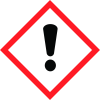
GHS07
Signal word
Warning
Precautionary statements
P264 - Wash hands, forearms and face thoroughly after handling. P305+P351+P338 - If in eyes: Rinse cautiously with water for several minutes. Remove contact lenses, if present and easy to do. Continue rinsing P337+P313 - If eye irritation persists: Get medical advice/attention.
2.3 Other hazards
No additional information available


