



General Information
Revision date
2021-06-11
Product name
Propyne
CAS No.
13025-73-5
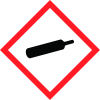
Icons in SDS


Company Information
company name
C/D/N Isotopes Inc
GHS Information
Signal word
Danger
Hazard Codes
Hazard statements (CLP)
H220, H280, H336
Hazard statements
Code
Statements
H220
Extremely flammable gas
Section 2
SECTION 2: Hazards identification
GHS Classification Physical state: Gas Warning Extremely flammable gas. Contains gas under pressure; may explode if heated.
Principle Routes of Exposure
Inhalation, ingestion, skin and eyes GHS (Globally Harmonized System of Classification and Labelling of Chemicals):
2.1 Classification of the substance or mixture
Flammable gases (Category 1) - Gases under pressure (Compressed gas) - Specific target organ toxicity - single exposure (Category 3), Respiratory system
Signal word
Danger
Hazard statements
H220 Extremely flammable gas. - H280 Contains gas under pressure; may explode if heated. - H336 May cause drowsiness or dizziness.
Precautionary statements
P210 Keep away from heat/ hot surfaces/ sparks/ open flames/ ignition sources. No smoking - P261 Avoid breathing dust/ fume/ gas/ mist/ vapours/ spray. - P304 + P340 IF INHALED: Remove person to fresh air and keep comfortable for breathing. - P319 Get medical help if you feel unwell.



