

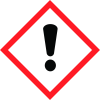
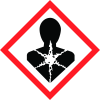
General Information
Revision date
2018-05-16
Product name
8-methyldodec-1-ene (contains 8-ethylundec-1-ene)
Manufacturer Name
Product Code BM1740
Emergency telephone
+61 3 8558 8000, +61 3 8558 8004
Icons in SDS


Company Information
company name
Boron Molecular Pty Ltd
GHS Information
Signal word
Warning
Hazard Codes
Hazard statements (CLP)
H302, H371
Hazard statements
Code
Statements
H302
Harmful if swallowed
Section 2
SECTION 2: Hazards identification
Classification of the substance or mixture Not a dangerous good according to GHS
Hazard statements
H302 H371
Prevention
P260 Do not breathe dust/fume/gas/mist/vapors/spray P264 Wash skin thoroughly after handling P280 Wear protective gloves / protective clothes / eye protection / face protection
Response
P301+P310 IF SWALLOWED Immediately call Poison Centre or Physician P302+P352 IF ON SKIN: Immediately flush skin with plenty of soap and water. P305+P338+P351 IF IN EYES: Immediately flush eyes with plenty of water for at least 20 minutes. P333+P313 If skin irritation or rash occurs: Get medical advice P337+P313 If eye irritation persists: Get medical advice P363 Wash contaminated clothing before reuse
Other hazards
- none
2.1 Classification of the substance or mixture
Not a dangerous good according to GHS


