


General Information
Revision date
2021-03-29
Product name
Terpinyl acetate
Product Synonyms
(±)-α-terpinyl acetate, (±)-2-(4-methyl-3-cyclohexenyl)isopropyl acetate, terpineol acetic acid ester
CAS No.
80-26-2
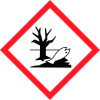
Icons in SDS
Company Information
company name
BioFuran Materials LLC
GHS Information
Signal word
Warning
Hazard Codes
Hazard statements (CLP)
H315, H332, H411
Hazard statements
Code
Statements
H315
Causes skin irritation
Section 2
2.1 Classification of the substance or mixture
This compound is considered hazardous according to the 2012 OSHA Hazard Communication Standard. Skin corrosion/irritation (Category 2) Serious eye damage/irritation (Category 2) Toxic to aquatic life (Category 2)
Hazard statements
Causes skin irritation, H315 Causes serious eye damage/irritation, H332 Toxic to aquatic life with long-lasting effects, H411
Signal word
Warning
Precautionary statements
P261 – Avoid breathing dust P261+P391 – Avoid release to the environment. Collect spillages. P280 – Wear protective gloves / protective clothing, eye protection / face protection P302+P351+P338 – If in your eyes, rinse cautiously with water for several minutes. Remove contact lenses, if present and rinse for at least 15 minutes. P312 – Immediately call a poison control center or a physician if you feel unwell. P313+P332 – If skin irritation occurs: Get medical advice/attention.
2.3 Other hazards
none



