


General Information
Revision date
2017-03-17
Product name
PRISTINE
1.2.1 Relevant identified uses
crop protection product, fungicide
Icons in SDS

Company Information
company name
BASF New Zealand Limited
e-mail address of the competent person responsible for the Safety Data Sheet
reception@basf-nz.co.nz
GHS Information
Signal word
Warning
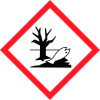
Hazard Codes
Hazard statements (CLP)
H302, H320, H400, H410
Hazard statements
Code
Statements
H302
Harmful if swallowed
Section 2
2.1 Classification of the substance or mixture
NZ EPA) 6.1D, 6.9B, 9.1A
Hazard pictograms
Priority Identifier: WARNING Keep out of reach of children ® Registered trade mark of BASF Secondary Identifiers:
Hazard statements
H302 Harmful if swallowed. May cause damage to liver through prolonged or repeated oral exposure at high doses. H320 Causes eye irritation. H400 Very toxic to aquatic life. H410 Very toxic to aquatic life with long lasting effects. To avoid risks to human health and the environment, comply with the instructions for use. Hazard determining component(s) for labelling: BOSCALID, PYRACLOSTROBIN
2.3 Other hazards
See section 12 - Results of PBT and vPvB assessment. If applicable information is provided in this section on other hazards which do not result in classification but which may contribute to the overall hazards of the substance or mixture.



