

General Information
Revision date
2019-03-06
Product name
Isopropyl Caproate (Isopropyl Hexanoate), Natural
CAS No.
2311-46-8
1.2.1 Relevant identified uses
Flavorings
Emergency telephone
1-800-535-5053
Icons in SDS
Company Information
company name
Aurochemicals
GHS Information
Signal word
Warning
Hazard Codes
Hazard statements (CLP)
H227, H315, H320, H335
Hazard statements
Code
Statements
H227
Combustible liquid
Section 2
OSHA HCS Classification
Flammable Liquid (Category 4), H227 Acute toxicity-dermal (Category 2), H315 Acute toxicity-eyes (Category 2b), H320 Specific Target Organ Toxicity-single exposure (Category 3a), H335
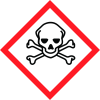
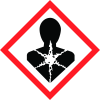
Hazard pictograms
Signal Statement Warning
Hazard statements
H227 Combustible Liquid H320 Causes eye irritation H315 Causes skin irritation H335 May cause respiratory irritation
Precautionary statements
P210 Keep away from heat/sparks/open flames/ hot surfaces – no P261 smoking P262 Avoid breathing dust/fume/gas/mist/vapor/spray P264 Do not get in eyes, on skin or on clothing P281 Wash hands immediately after handling P305+338+313 Wear protective gloves/clothing/face shield/ eye protection IF IN EYES: Remove contact lenses if present and easy to do. Continue rinsing. Get medical advice. 2.3 HNOC (Hazards not otherwise None classified or not covered by GHS


