

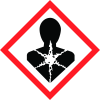
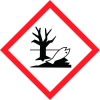
Note: Ingredients listed on restricted chemical lists
EC/CAS
79-94-7
Name of the chemical
Tetrabromobisphenol A(TBBPA)
Concentration
N/A
General Information
Tarikh Semakan:
2020-01-20
A. Nama produk
3,3",5,5"-Tetrabromobisphenol A
1.3 Sinonim:
4,4`-Isopropylidenebis(2,6-dibromophenol)
No. CAS
79-94-7
Nombor kecemasan
Carechem 24: +60 3 6207 4347 (nombor kecemasan 24 jam)
Icons in SDS
Company Information
syarikat
Fisher Scientific (M) Sdn Bhd
e-mel
Enquiry.my@thermofisher.com
GHS Information
Signal word
Amaran
Hazard Codes
Hazard statements (CLP)
H351, H400, H410
Hazard statements
Code
Statements
H351
Suspected of causing cancer
Section 2
Bahagian ii - pengenalpastian risiko
Pengelasan bagi bahan atau campuran Kekarsinogenan Kategori 2 (H351) Ketoksikan akuatik yang akut Kategori 1 (H400) Ketoksikan akuatik kronik Kategori 1 (H410)
Kata isyarat amaran
Amaran
Penyataan bahaya
Bahaya H351 - Disyaki menyebabkan kanser H410 - Sangat toksik kepada hidupan akuatik dengan kesan kekal berpanjangan Awasan P201 - Dapatkan arahan khas sebelum menggunakan produk P280 - Pakai sarung tangan pelindung / pakaian pelindung / perlindungan mata / perlindungan muka P308 + P313 - JIKA terdedah atau terkena bahan: Dapatkan nasihat/rawatan perubatan
2.3 Bahaya lain - tiada
Bahagian 3: KOMPOSISI/MAKLUMAT RAMUAN Komponen No.-CAS Peratus berat Tetrabromobisphenol A 79-94-7 >95


